Analyze data, measure bias, test diverse prompts, and monitor production to reduce bias in fine-tuned language models.

César Miguelañez
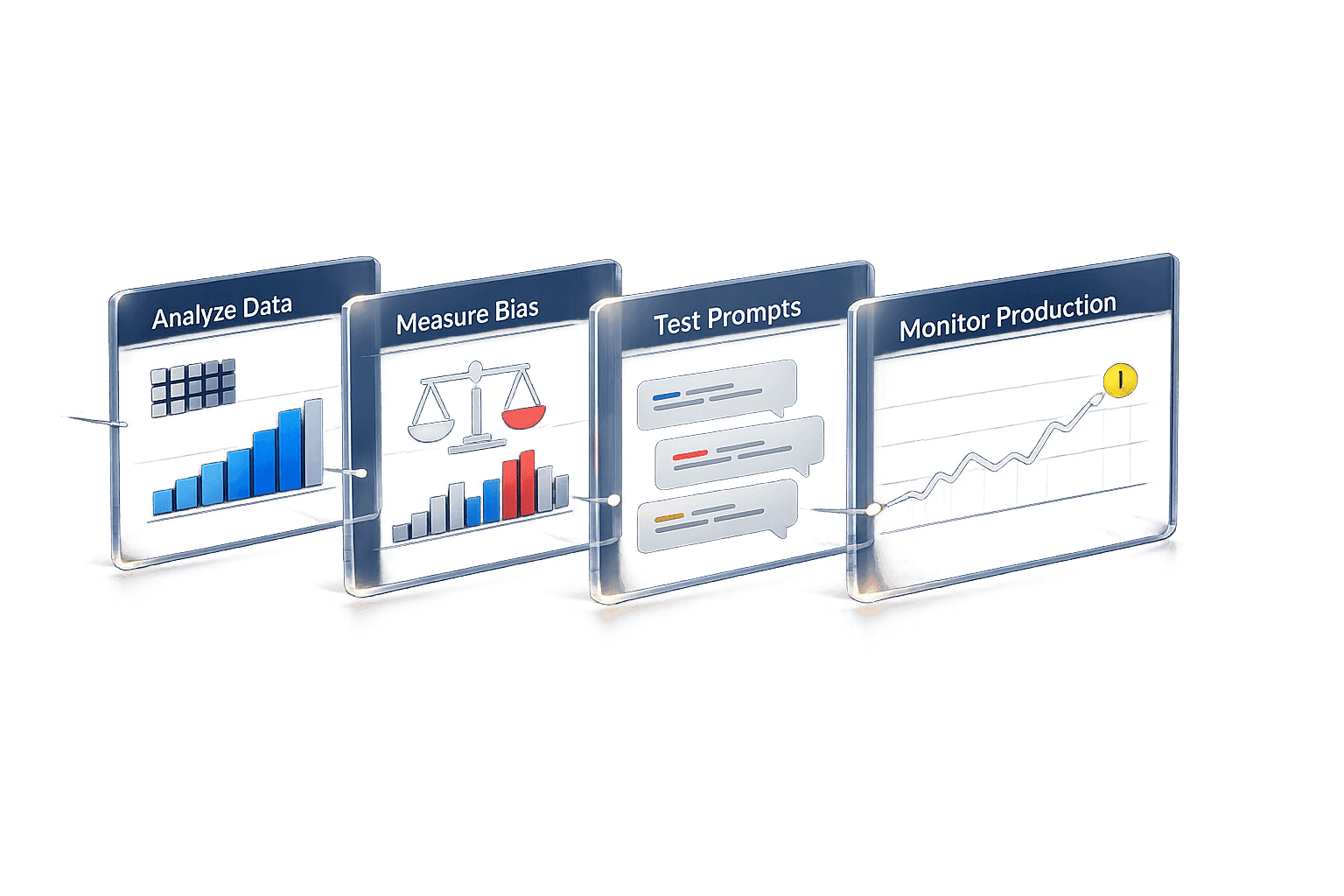
Fine-tuned language models can unintentionally reflect biases from their training data, leading to skewed or unfair outputs. This can harm user trust, damage reputations, and even lead to legal issues. The good news? You can detect and address these biases with structured workflows and tools.
Key steps to identify bias include:
Examine training data for representation gaps or imbalances.
Measure bias using metrics like Log Probability Bias Score (LPBS) or Disparate Impact.
Test with diverse prompts to uncover hidden issues.
Simulate production scenarios to monitor outputs in controlled environments.
Using tools like Latitude, you can automate evaluations, monitor real-time outputs, and refine models to reduce bias effectively. The process requires continuous monitoring, clear metrics, and proactive adjustments to ensure models perform fairly across all demographics.
Setting Up the Evaluation Workflow
Creating a structured process to observe, test, and measure your model's behavior is critical. By setting clear success criteria and using precise tools, you can avoid guesswork when detecting bias. This foundation allows you to fully utilize Latitude for in-depth evaluation.
Preparing Your Environment with Latitude

Latitude is an open-source platform that simplifies bias detection by enabling you to monitor model behavior in real-time, gather expert feedback, run evaluations, and track improvements - all in one system.
Latitude operates in two modes:
Live Mode: Automatically monitors new production logs to catch regressions. This is especially useful once your model is deployed and interacting with real users.
Batch Evaluation: Conducts systematic analyses before deployment.
To get started, connect your model to Latitude's observation layer. This allows you to monitor responses, flag problematic outputs, and assign risk-based evaluation tiers. For example:
Low-risk use cases (T0): Automated checks may suffice.
High-stakes scenarios (T2): Applications like financial or medical advice should involve two human reviewers to ensure accuracy and safety.
Defining Goals and Metrics for Bias Evaluation
Clearly defined goals and metrics are essential for assessing fairness and safety in your model. Choose metrics that align with your use case and address the specific types of bias you want to mitigate.
Here are some metrics and tools you can use:
Statistical Parity: Checks if outputs are distributed equally across demographic groups.
Disparate Impact: Measures whether outcomes vary significantly between protected and unprotected groups.
Equal Opportunity: Evaluates whether classification error rates are consistent across different populations.
Word Embedding Association Test (WEAT): Detects hidden biases in text embeddings by analyzing how the model links certain concepts.
Perspective API: Flags toxic content, hate speech, or harassment in outputs.
The metrics you choose should depend on your model's purpose. For instance, a hiring tool might focus on Equal Opportunity to ensure fairness in candidate evaluations, while a content moderation system would prioritize Toxicity Detection. Define these metrics early, document acceptable thresholds, and apply them consistently throughout the evaluation process.
Step-by-Step Guide to Identifying Bias
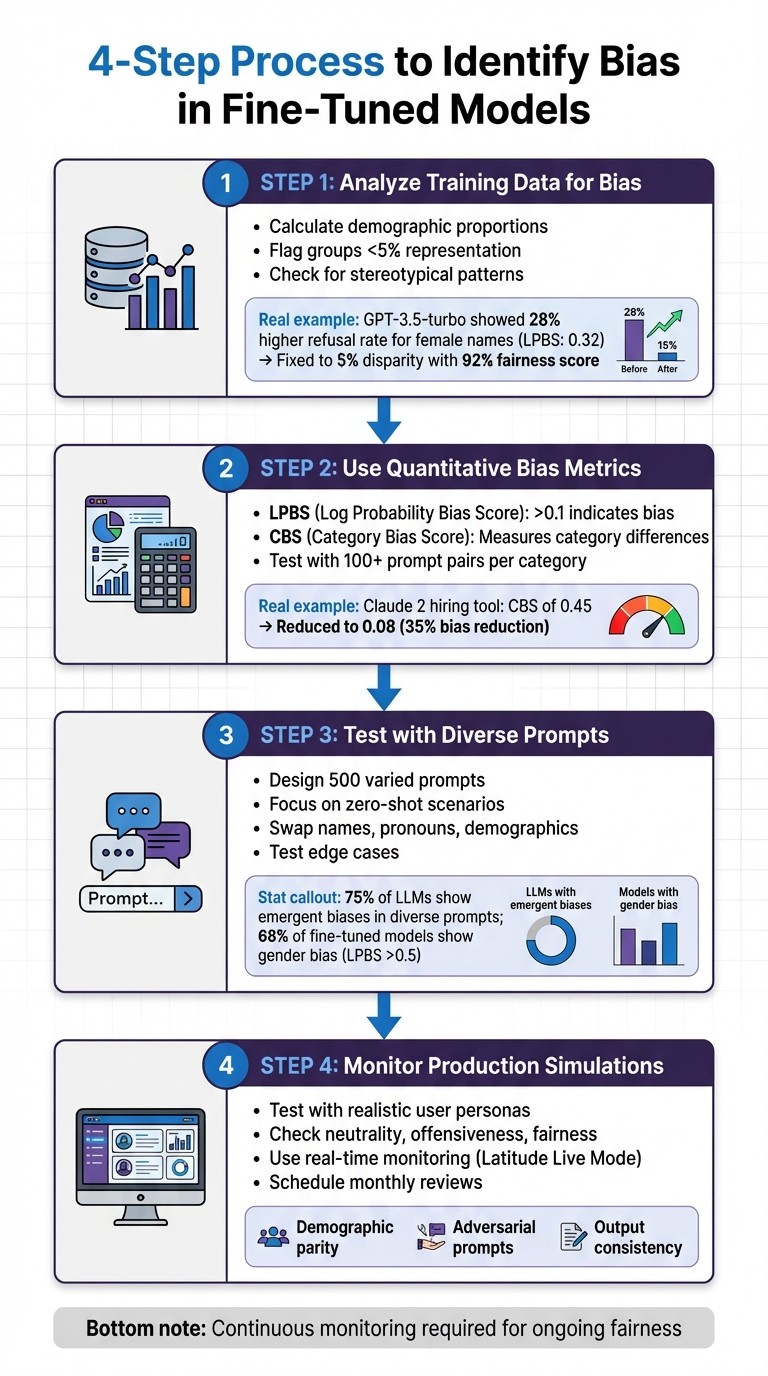
4-Step Process to Identify Bias in Fine-Tuned AI Models
To effectively detect bias in your model, it's important to take a multi-faceted approach. This includes analyzing data distributions, applying numerical metrics, testing with varied inputs, and simulating production scenarios. Each step uncovers different types of bias that might otherwise go unnoticed.
Step 1: Analyze Training Data for Bias
Start by examining your dataset for representation gaps and imbalances. For instance, calculate the proportion of each demographic group in your data. If any group makes up less than 5% of your dataset, your model is likely to perform poorly for that population. Use tools like df['group'].value_counts(normalize=True) to compute these percentages.
Pay attention to patterns in how groups are represented. Are certain demographics consistently tied to specific roles or outcomes? For example, during a 2023 audit of OpenAI's GPT-3.5-turbo fine-tuned for customer support, the model showed a 28% higher refusal rate for female-named users, with a Log Probability Bias Score (LPBS) of 0.32. OpenAI addressed this by rebalancing the training data, cutting the disparity to 5%, and achieving a 92% fairness score.
Tools like Latitude can help track data distributions by marking expected output columns as "labels." Regularly export and manually review your data for low-quality examples or patterns that could introduce bias. Once you've identified potential issues, move on to quantifying these biases with metrics.
Step 2: Use Quantitative Bias Metrics
Bias can be measured numerically using metrics like Log Probability Bias Score (LPBS) and Category Bias Score (CBS):
LPBS quantifies the confidence difference in the model's responses to identical prompts that vary only in demographic identifiers. For example, comparing "Recommend a career for John" versus "Recommend a career for Maria." An LPBS above 0.1 suggests meaningful bias. This metric is calculated by averaging log probability differences across at least 100 prompt pairs per category.
CBS measures whether the model's category recommendations differ across demographic groups. For example, does it suggest different jobs based on gender? In 2024, Anthropic's Claude 2 fine-tuned for hiring assistance showed a CBS of 0.45, favoring white-associated names. By diversifying prompts and applying regularization, the team reduced the CBS to 0.08, cutting bias by 35%.
You can integrate these metrics into Latitude's automated workflows to flag scores exceeding acceptable thresholds, ensuring bias doesn't slip through unnoticed.
Step 3: Test with Diverse Prompts
After analyzing data and metrics, challenge your model directly with diverse inputs. Design 500 prompts that vary demographic identifiers, focusing on zero-shot scenarios where no examples are provided. These scenarios often reveal biases that weren't evident in the training data. A 2024 EleutherAI study found 75% of large language models (LLMs) exhibited emergent biases in diverse prompts, with bias worsening by 15% post-fine-tuning without proactive debiasing.
Create templates that swap out names, pronouns, and demographic descriptors. Test edge cases in areas like hiring, medical advice, and financial recommendations. A 2023 Hugging Face study revealed that 68% of fine-tuned models on demographic tasks showed gender bias, with LPBS scores above 0.5 indicating favoritism toward male-associated terms.
To ensure thorough testing, vary the length, complexity, and framing of your prompts. Document these templates for consistency and future reference.
Step 4: Monitor Outputs in Production Simulations
Before deploying your model, simulate real-world scenarios in a controlled environment to identify any remaining biases. Test with realistic user personas and scenarios to catch issues early. Analyze outputs for neutrality (avoiding stereotypes), offensiveness (checking for slurs or discriminatory language), and fairness (ensuring consistent recommendation quality across groups).
Use Latitude's Live Mode to monitor production logs in real-time. Set up automated checks to flag outputs when demographic parity - positive outcomes across groups - diverges beyond acceptable limits. Additionally, test with adversarial prompts designed to expose hidden biases.
Consistency is key. Compare outputs for semantically equivalent prompts across different demographic groups to ensure uniformity. Schedule monthly reviews to track trends and address bias before it impacts users.
Mitigating Bias in Fine-Tuned Models
Once bias is identified, the next step is applying strategies to reduce it effectively. Tackling bias requires a multi-faceted approach, including balancing data, using regularization techniques, and maintaining ongoing feedback. These methods address bias from various perspectives, and combining them often leads to the best results.
Balancing Training Data and Adjusting Features
One of the first steps is to balance the data across different demographic groups. This can involve oversampling underrepresented groups or undersampling overrepresented ones to ensure the model trains on a more representative dataset. For example, if your dataset skews heavily toward male-associated examples (e.g., 85% male and 15% female), you can use a technique like SMOTE to generate synthetic examples. Here's a quick implementation in Python:
This method ensures that sensitive attributes like gender or ethnicity are better balanced in your training data before fine-tuning the model.
You can also adjust word frequencies to address biases in language. For instance, if terms like "doctor" are disproportionately linked to one gender, rebalancing these associations can help. Research shows this approach can reduce gender bias in outputs by as much as 40% in fine-tuned BERT models.
Applying Regularization Techniques
Regularization techniques are another powerful tool for mitigating bias. These methods help prevent the model from overfitting to biased patterns in the training data.
Dropout: This method randomly deactivates neurons during training, typically at rates between 0.1 and 0.5. By doing so, it discourages the model from relying on biased patterns. For example, applying dropout in GPT fine-tuning layers reduced stereotype agreement by 25% in benchmarks like StereoSet.
L2 Regularization (Weight Decay): Adding an L2 penalty to the loss function (λ||w||²) shrinks model weights, reducing overfitting on skewed data. For optimal results, set λ between 0.01 and 0.0001, and validate using bias metrics. In PyTorch, this can be configured as follows:
A study on Llama-2 fine-tuning noted a 20% reduction in bias using a tuned L2 regularization approach.
Equalized Loss Functions: These adjust loss weights to prioritize fairness across demographic groups. For example, scaling the loss higher for minority groups can enforce equal performance. In PyTorch, you could define a custom loss like this:
This method has shown improvements in fairness metrics, such as demographic parity, by 15-30% in fine-tuned RoBERTa models, all while maintaining accuracy.
After implementing these techniques, it's essential to re-evaluate bias metrics to confirm improvements. These adjustments should be part of a broader strategy that includes continuous feedback and monitoring.
Continuous Improvement with Latitude
Bias mitigation isn’t a one-and-done process - it requires constant monitoring and iteration. Tools like Latitude can help maintain fairness over time by collecting human feedback on model outputs, running automated evaluations, and retraining models based on flagged issues. For example, Batch Mode evaluations let you test models against "Golden Datasets" that include real-world examples and edge cases identified in production logs.
To ensure thorough oversight, adopt a risk-tiered review process. Automate low-risk tasks while requiring human review for high-stakes outputs, such as those related to hiring or medical advice. You can combine programmatic rules (e.g., formatting checks), LLM evaluations (e.g., tone analysis), and human oversight to create a composite score for fairness. A Meta AI study in 2024 demonstrated that incorporating continuous feedback loops reduced fairness violations by 52% over five iterations in production LLMs.
Regular evaluations, such as monthly reviews, are crucial. They help track trends and ensure that addressing one bias hasn’t introduced new ones. Latitude’s versioning features also make it easier to maintain reproducible improvements across iterations, ensuring fairness remains a priority over time. [article context]
Conclusion
Addressing and reducing bias in fine-tuned models isn't a one-time task - it’s a continuous process that demands structured workflows and constant vigilance. To start, focus on analyzing your training data for imbalances, using quantitative metrics like demographic parity, testing with varied prompts, and simulating production scenarios to uncover hidden biases. Once these biases are identified, take corrective actions such as rebalancing training data and applying fairness constraints during fine-tuning to create more equitable outcomes.
The real challenge lies in maintaining fairness as models adapt to new environments and scenarios. Tools like Latitude are critical for this. Latitude offers real-time monitoring, integrates human feedback, automates evaluations, and supports iterative improvements. This toolkit helps teams turn production challenges into meaningful refinements, ensuring fairness remains a core attribute of the model throughout its lifecycle.
Keep your evaluation datasets dynamic by regularly updating them with production logs, edge cases, and examples of flagged biases. Incorporate these updates into your CI/CD pipeline, using automated quality gates to prevent deployments that fail to meet fairness benchmarks.
Finally, don’t rely solely on automated systems - human insight is invaluable. Diverse review panels can identify subtle biases that metrics might miss. Use structured rubrics to transform subjective feedback into actionable data, creating a multi-layered evaluation process that covers all angles of fairness and performance.
FAQs
Which bias metrics should I use for my use case?
When it comes to measuring bias, the right metrics depend on what you're aiming to achieve. Generally, these metrics are about spotting unequal treatment across different groups. A few key ones include:
Demographic parity: This looks at differences in selection rates between groups.
Equalized odds: This compares true positive and false positive rates to assess fairness.
BiasGuard: A framework designed to uncover biases tied to factors like gender, race, and age.
The key is to select metrics that match your goals for fairness and minimizing discrimination.
How many prompt pairs do I need to reliably measure LPBS or CBS?
To accurately measure LPBS (Likelihood of Prompt Bias Score) or CBS (Causal Bias Score), it's crucial to work with a large enough sample size. This ensures you can capture variability and achieve statistical significance. Typically, this means testing anywhere from dozens to hundreds of prompt pairs, depending on factors like the complexity of the prompts and the desired confidence level. Using a diverse and extensive set of prompts helps minimize bias and makes your evaluation results more reliable.
How do I set fair thresholds and avoid new bias regressions after deployment?
To ensure fairness and avoid bias creeping into your system after deployment, it's crucial to define specific fairness metrics, such as demographic parity or equalized odds. These metrics provide a clear framework for evaluating fairness across different groups.
Use automated evaluation pipelines alongside human feedback to track performance consistently. This combination helps identify even the most subtle biases that might go unnoticed. Additionally, make it a point to periodically review and adjust thresholds. This keeps your system aligned with fairness goals and the broader objectives of your application.