Most observability tools are built for APIs, not agents. Latitude is different.
Other observability tools tell you something failed. Latitude tells you where in the chain, and why.
Multi-step traces
See where in the chain your agent went wrong, not just what it returned
Tool call visibility
Know exactly which tool was called, with what input, and what it returned
Reasoning observability
Follow your agent's decision path turn by turn
Acquire full observability in minutes
You can set up Latitude and start monitoring your LLMs in less than 10 minutes
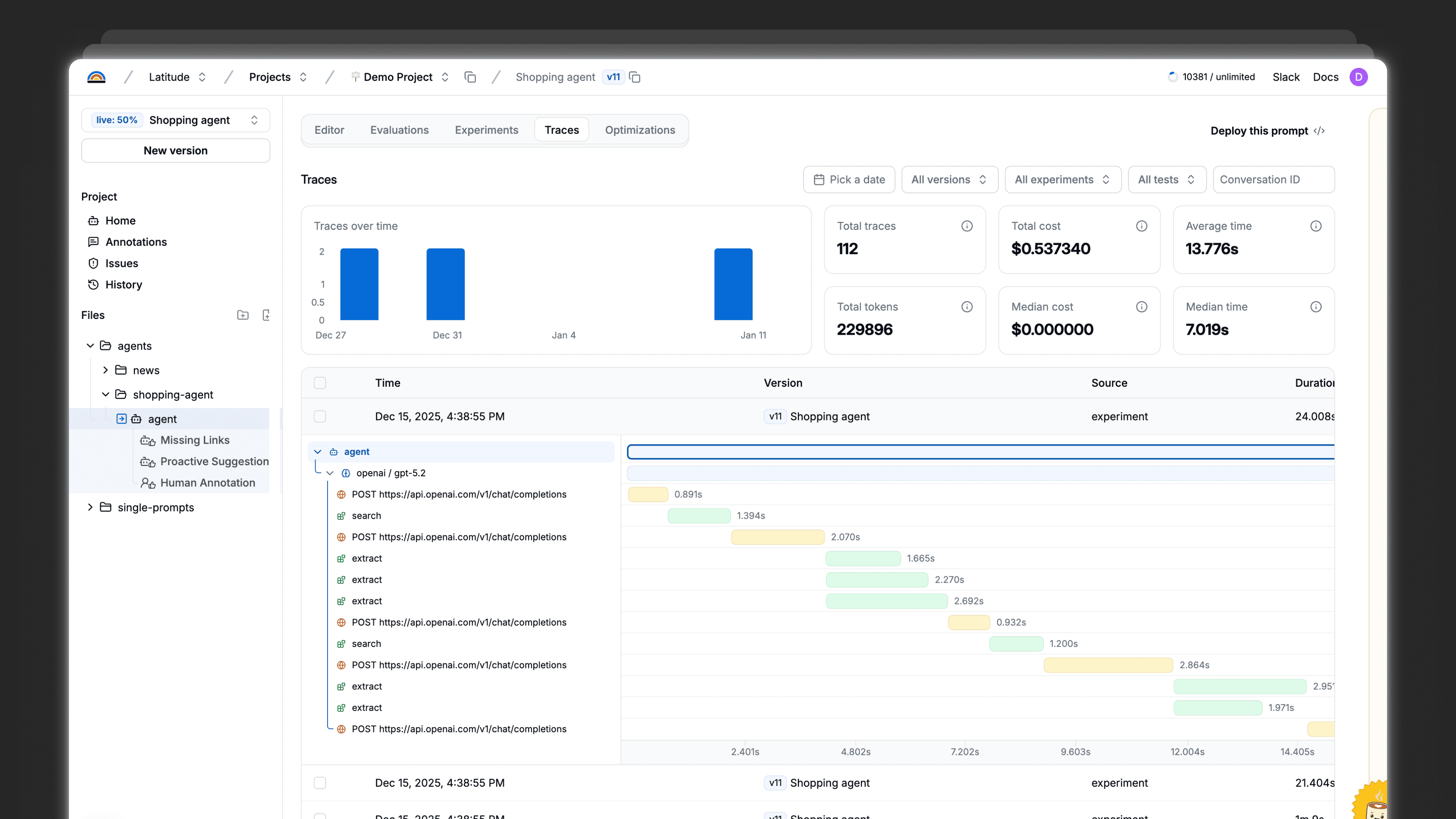
Start with visibility
Start with visibility. Grow into reliability.
Start the reliability loop with lightweight instrumentation. Go deeper when you’re ready.
View docs
Instrument once
Add OTEL-compatible telemetry to your existing LLM calls to capture prompts, inputs, outputs, and context.
This gets the loop running and gives you visibility from day one
Learn from production
Review traces, add feedback, and uncover failure patterns as your system runs.
Steps 1–4 of the loop work out of the box
Go further when it matters
Use Latitude as the source of truth for your prompts to enable automatic optimization and close the loop.
The full reliability loop, when you’re ready
Integrations
Integrates with your stack
Latitude is compatible with the majority of the platforms used to build LLM systems
Explore all integrations















Trusted by
What's the difference between LLM observability and regular logging?
Do I need observability if my LLM app is already working fine?
How is Latitude different from Langfuse or other observability tools?
How quickly can I see my first production traces?
What issues will observability actually help me catch?
We're already using OpenAI's dashboard. Why do I need more?
Once I can see issues, then what?
Is there a free trial?