Agents fail differently. Most tools are not for that. Latitude is.
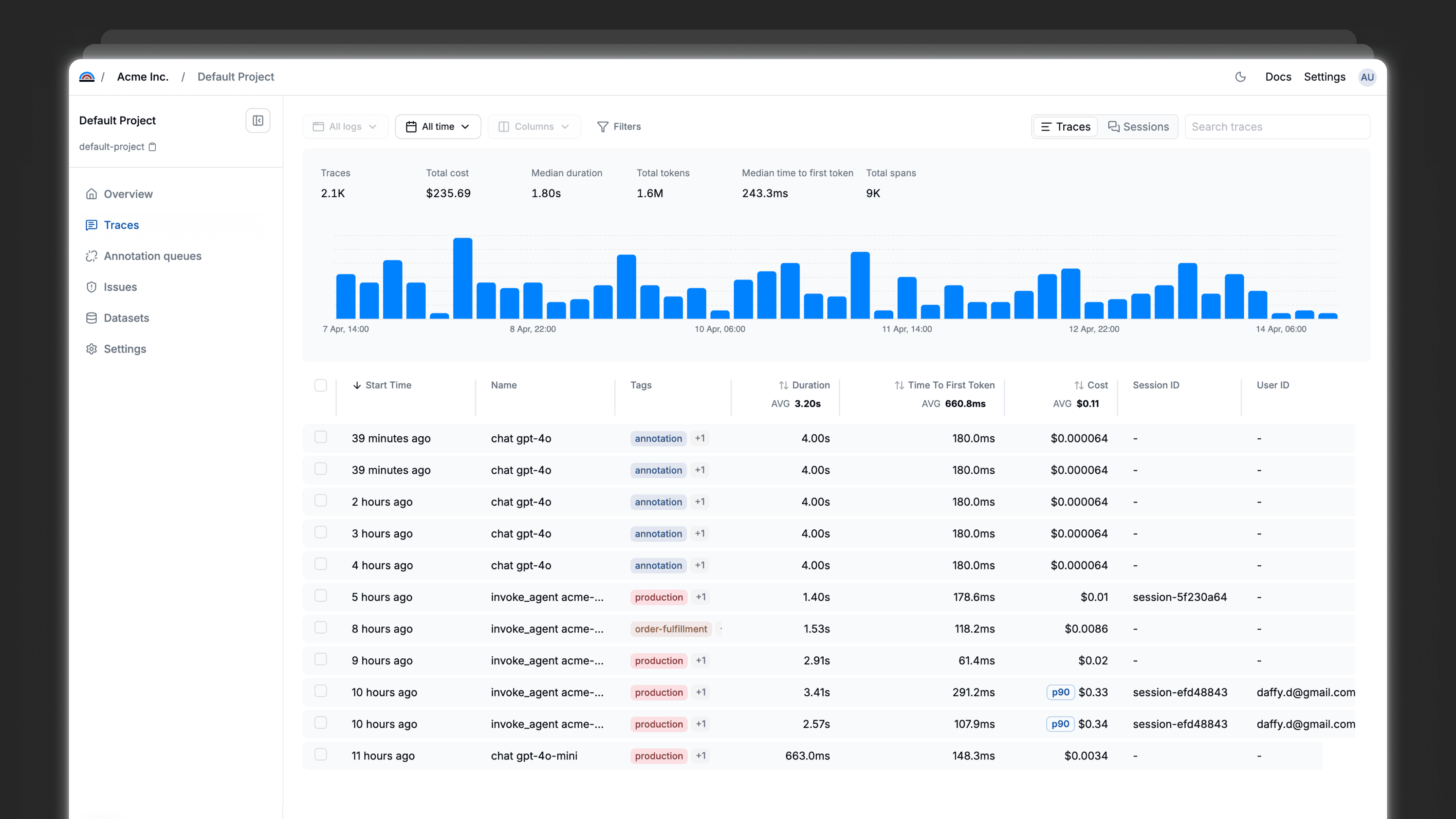
Agents fail silently. A wrong tool call at step 3 looks fine by step 12. Latitude finds it before your users do.
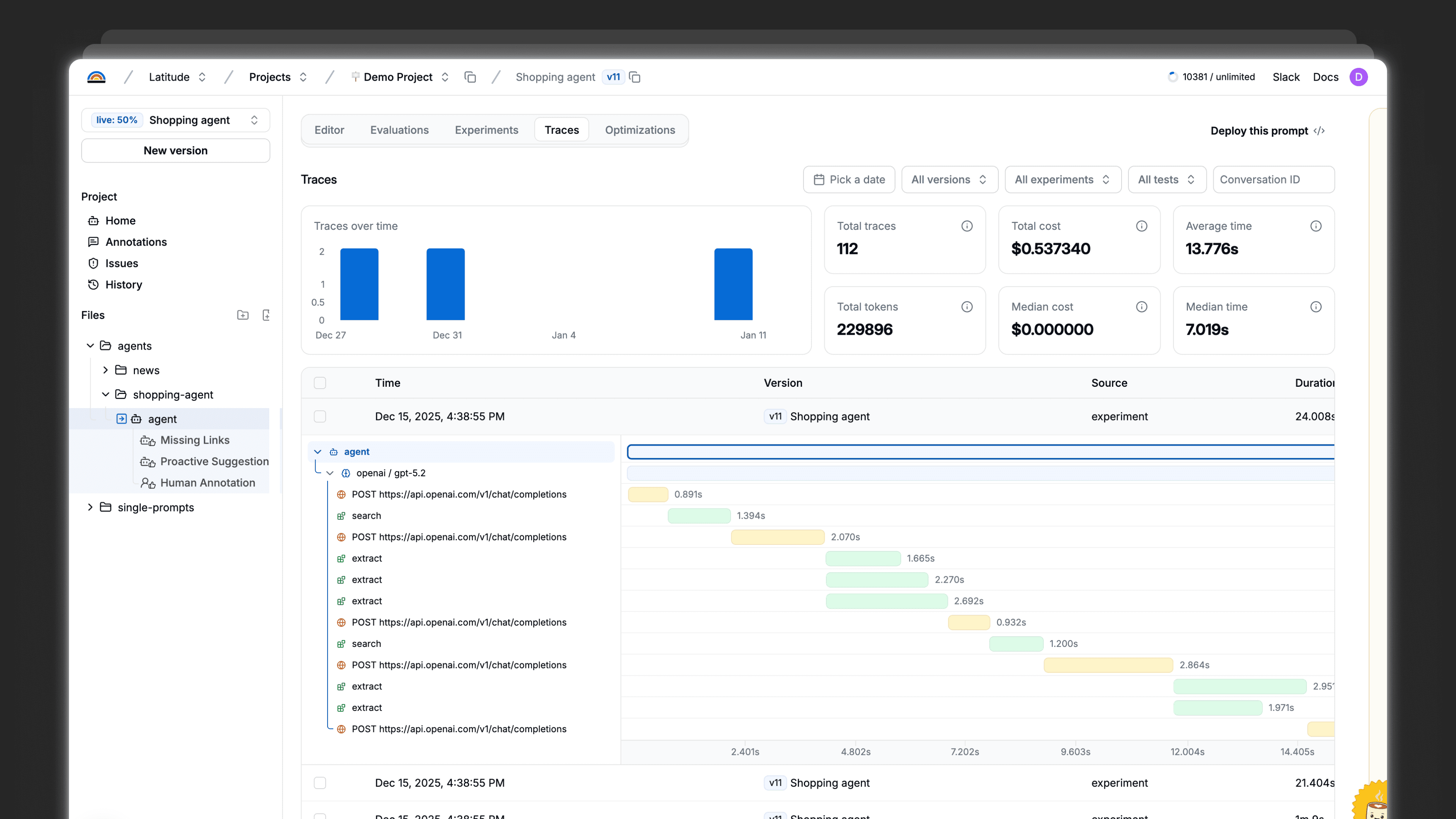
Multi-step traces
See where in the chain your agent went wrong, not just what it returned
Tool call visibility
Know exactly which tool was called, with what input, and what it returned
Reasoning observability
Follow your agent's decision path turn by turn
Set up evals in minutes
You can set up Latitude and start evaluating your LLMs in less than 10 minutes
Generic evals scores your AI. We show you why users are complaining.
Latitude builds evals around your actual failure modes — not abstract quality benchmarks.
What's measured
What's considered good performance?
Success definition
Who defines success?
Data used
Context awareness
What's being considered upon judgment?
Failure detection
What issues are being discovered?
Optimization metric
What teams optimize for?
Adaptation over time
How continuous support work?
Most teams
Generic evals
Your AI agent follows instructions good enough
Model provider / Public dataset
Static, generic datasets
Contexts a model was trained on
Biased and superficial issues
“Better abstract model score”
Monitoring static benchmarks that don’t evolve

Latitude's approach
Aligned evals
Your users actually got what they needed from an agent
Your domain expert
Real production logs & user feedback
Your real failure modes and specific cases
Exact patterns that hurt your users
Fewer user complaints, Higher reliability, Business KPIs
Continuously updating as new failures appear live
Start with visibility
Start with visibility. Grow into reliability.
Start the reliability loop with lightweight instrumentation. Go deeper when you’re ready.
View docs
Instrument once
Add OTEL-compatible telemetry to your existing LLM calls to capture prompts, inputs, outputs, and context.
This gets the loop running and gives you visibility from day one
Learn from production
Review traces, add feedback, and uncover failure patterns as your system runs.
Steps 1–4 of the loop work out of the box
Go further when it matters
Use Latitude as the source of truth for your prompts to enable automatic optimization and close the loop.
The full reliability loop, when you’re ready
Integrations
Integrates with your stack
Latitude is compatible with the majority of the platforms used to build LLM systems
Explore all integrations

















and many more…
Do I need evaluations if I'm already logging my LLM calls?
How is this different from just using an LLM to judge outputs?
Is the annotation step going to slow us down?
How quickly can I run my first eval on production data?
What if our quality criteria change over time?
Can we use this alongside our existing testing setup?
What happens when an eval fails?
Is there a free trial, or do I need to commit upfront?