
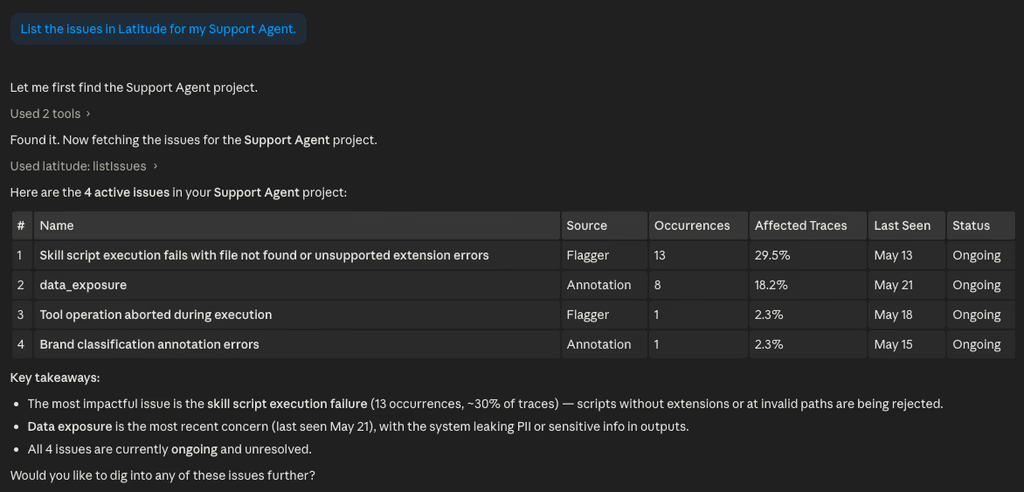
Your AI agents can now reach into Latitude directly. We’ve launched the Latitude MCP, a remote, OAuth-authenticated server that exposes everything you can do in the Latitude UI as tools that agents can call.
Claude, Cursor, Codex, Gemini, Zed, OpenCode if it uses MCP, it can now manage your projects, traces, annotations, scores, searches, issues, datasets, members, and keys without you ever leaving the agent.
A few things worth knowing:
- One URL, OAuth-authenticated. Point your agent at
https://api.latitude.so/v1/mcp, sign in, pick the org you want to grant access to, done. - Tools stay in sync automatically. The catalog is generated dynamically from the Latitude API, so anything we ship in the platform shows up as an MCP tool without an extra release.
- You stay in control. See and revoke any connected agent at any time under Settings → Keys → OAuth Keys. One click and access is gone.
Install steps for every major agent are in the docs. If your agent isn’t listed, just tell it to add Latitude as a Remote Streamable HTTP MCP server with OAuth enabled — that’s the entire setup.